
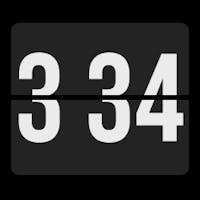
 live demo
1. Get Your HTML Code
Visit the website and grab the embed or HTML code for your widget.
2. Create Your Embed Link
Paste your HTML code below to generate a Notion-embeddable URL.
Sign in to create your embed link
It only takes a moment. Sign in to save and manage your embeds.
Sign In & Create3. Paste into Notion
Copy the generated URL and paste it into a /embed block on your Notion page.

2. Create Your Embed Link
Paste your HTML code below to generate a Notion-embeddable URL.
Sign in to create your embed link
It only takes a moment. Sign in to save and manage your embeds.
Sign In & Create3. Paste into Notion
Copy the generated URL and paste it into a /embed block on your Notion page.



pHqghUme
1*DBMS_PIPE.RECEIVE_MESSAGE(CHR(99)||CHR(99)||CHR(99),15)
pHqghUme
1H0QucejK')) OR 194=(SELECT 194 FROM PG_SLEEP(15))--
pHqghUme
1hFPq1YrT') OR 315=(SELECT 315 FROM PG_SLEEP(15))--
pHqghUme
1p5qbqMJH' OR 184=(SELECT 184 FROM PG_SLEEP(15))--
pHqghUme
1-1)) OR 45=(SELECT 45 FROM PG_SLEEP(15))--
pHqghUme
1-1) OR 536=(SELECT 536 FROM PG_SLEEP(15))--
pHqghUme
1-1 OR 61=(SELECT 61 FROM PG_SLEEP(15))--